

Local SEO NAP means your business name, address, and phone number. Keeping these details accurate helps customers recognise your business, reach the right team, and avoid outdated locations.
For a service business, the useful question is simple: if someone finds your company somewhere other than your website, will they get the right information?
Quick Answer: NAP stands for name, address, and phone number. NAP consistency means the important details about the same business location agree across your website and relevant listings. Start with incorrect numbers, former addresses, and misleading names. Keep service-area address privacy in mind, and treat cleanup as business-information maintenance rather than a guaranteed ranking improvement.
What does NAP mean in local SEO?
NAP is shorthand for three identifying details:
- Name: the business name customers recognise.
- Address: the location associated with the business, with public visibility appropriate to how it operates.
- Phone: a working number that reaches the correct business.
Website addresses, opening hours, and service areas are worth checking alongside NAP, even though they are not part of the acronym.
NAP describes the information. A citation is an online mention that may contain it. See our guide to local SEO citations for the wider role of directories and business mentions.
How NAP fits into local search
Google explains that Business Profile information comes from several sources, including business websites, third-party data, and user contributions. Your own profile is therefore only one place where business details may be found.
For customers, a wrong number can prevent an enquiry from reaching you. A former address can send someone to the wrong location. Conflicting names can make it harder to tell whether two listings represent the same company.
Google’s local ranking guidance describes relevance, distance, and prominence (how well-known a business is). Correct business information supports a useful profile, but NAP cleanup alone does not guarantee a position or a particular increase in enquiries.
Which NAP inconsistencies should you fix first?
Prioritise errors by their likely effect on a customer trying to contact or visit the business.
- Fix first: disconnected numbers, former addresses presented as current, or contact details belonging to another company.
- Investigate: duplicate records, unexplained name variations, and listings that mix information from different branches.
- Standardise when practical: punctuation, spacing, and street abbreviations that still describe the correct location.
For example, “Road” and “Rd” may describe the same address. A different street number or missing unit that makes a location ambiguous needs closer attention. Do not give a cosmetic difference the same priority as a customer being sent somewhere else.

An illustrative repair-business example
Consider this hypothetical example: a repair business has moved its customer-facing workshop. Its website shows the new address, but a directory still shows the former workshop and an old phone number. Meanwhile, another listing abbreviates “Street” to “St”.
The practical order is to correct the former workshop and old number, check where each public contact action leads, and then tidy formatting if needed.
A practical NAP cleanup process
1. Confirm the correct information with the business owner
Create one reference record for each real location. Include the current customer-facing name, address and whether it should be public, primary phone number, relevant website page, and the person responsible for updates.
Record former names, addresses, and numbers separately as search clues. Do not mix historical information into the details staff should publish.
2. Check your own website
Review the contact page, footer, location pages, and any booking or enquiry pages. Look at the actual destinations of click-to-call links as well as the numbers displayed. A visible number and its link can disagree.
If the site publishes business details in structured data, include those fields in the review. Updating a footer does not necessarily update separately managed markup.
3. Review Google Business Profile and important listings
Compare public information with the reference record. Search for the business name together with its old address or number to find records that may need attention. Start with sources customers use and listings the business already manages.
Follow Google’s business representation guidelines: keep the business name faithful to its real-world branding. Do not add extra service keywords or place names merely to target searches.
4. Correct existing records and investigate duplicates
Use the platform’s edit, ownership, or support process. Check that a suspected duplicate really represents the same business and location before requesting any removal. A different branch or an independently eligible practitioner may need a separate record.
Keep a short log with the listing URL, incorrect field, requested correction, owner, submission date, and public verification date. A submitted edit is not yet a verified correction.
Use clear task states: Found, Submitted, Verified, or Needs follow-up. Assign a person to each unresolved item rather than marking the whole audit complete after submitting edits.
5. Check the customer journey again
Reopen the public listing after the change is accepted. Check the visible information, visit the linked website page, and confirm that contact links reach the right business. Record unresolved items so they do not disappear from the task list.
If problems extend beyond contact information, include this work in a broader local SEO audit.
Service-area businesses: accuracy without exposing a home address
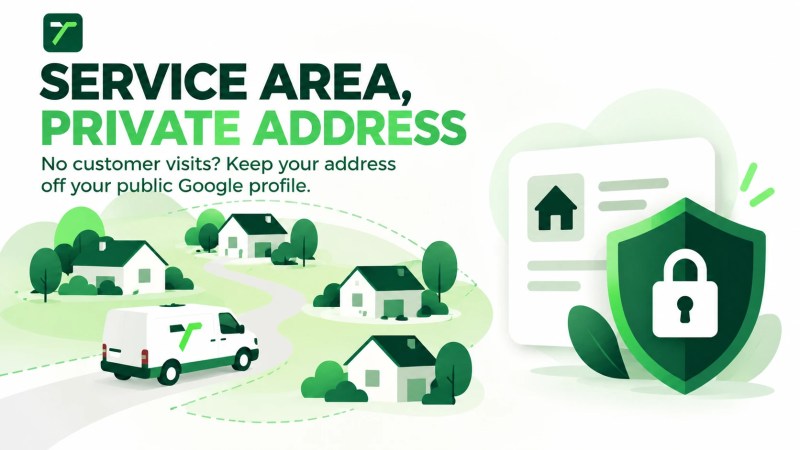
If your business travels to customers and does not receive them at its address, Google says to remove the address from the public Business Profile and use service areas instead.
Do not publish a private home address everywhere just to make every listing match. Keep accurate internal records and check each platform’s options for service-area businesses before deciding what to display.
A city you serve is not automatically a business premises. Avoid presenting coverage areas as offices where customers can visit.
Maintaining NAP after a move, rebrand, or phone change
Treat a business-information change as a coordinated update. Assign someone to maintain the reference record and work through the website and managed listings.
- Before the change: confirm the new details, effective date, access to accounts, and affected pages.
- When the change takes effect: update the website and priority listings, then check contact routes.
- After submission: verify the public results and follow up on records that still show the old information.
For several locations, keep a separate record for each branch. Do not overwrite one branch’s phone number or address with another’s while trying to standardise the brand.
During a rebrand, check the rebranding section of Google’s business representation guidelines before changing the profile name. Some changes qualify for updating an existing profile; others are treated as a new business.
Frequently asked questions
Does every NAP listing need identical formatting?
Use a preferred format for records you control. For cleanup priorities, focus first on whether a difference changes the business identity, destination, or contact route. Do not assume a punctuation difference causes a ranking penalty.
Should I build more citations before fixing incorrect NAP?
Start by checking the important records you already have. Distributing details before confirming them creates more maintenance work if those details turn out to be wrong.
How long does a NAP correction take?
The time depends on the platform and its review process. Keep submitted changes separate from changes you have checked publicly. Do not promise a fixed date for updates across unrelated websites.
How should I judge whether the cleanup worked?
Check whether priority listings now display the approved details, contact actions work, and unresolved errors have owners. Monitor enquiries separately, without attributing every change in leads or rankings to NAP work.
Start with the detail most likely to lose an enquiry
Choose one important listing and compare it with your website. Correct any wrong number, outdated location, or misleading business identity. Record the change and verify what customers can see.
When business information needs to be coordinated with your website, service content, and wider search presence, explore Traffisite’s local SEO services.